Loading page
Back to Home
Software for consulting firms: track time, bill projects
Plan your team, record consulting hours and turn them into client invoices. Project budgets, costs and margins sit in the same system.
Plan, track and bill consulting projects
See how you schedule your team, record project hours and prepare billing.

- Hourly rates per employee and project
- Project controlling with revenue and margin
- Invoices straight from time entries
- Timesheets created by employees
- Carry planned hours into time tracking
- Store signed timesheets centrally
- Calculate bonuses from utilisation and revenue
- Control access rights by role
- Turn bullet points into entry descriptions
- Manage vacation and sick leave
- Read project data through the API
- Import clients, projects and hourly rates from Excel
Built and used daily by consultants
rwQUANTICAL GmbH develops QUANTICAL.ERP and uses the software in its own consulting business.
From team planning to billing, the team runs its own projects with it. Experience from this daily work feeds into further development.


Manage consulting projects from planning to reporting
Create client projects, plan your team and bill the hours recorded. The product views below show the workflow.
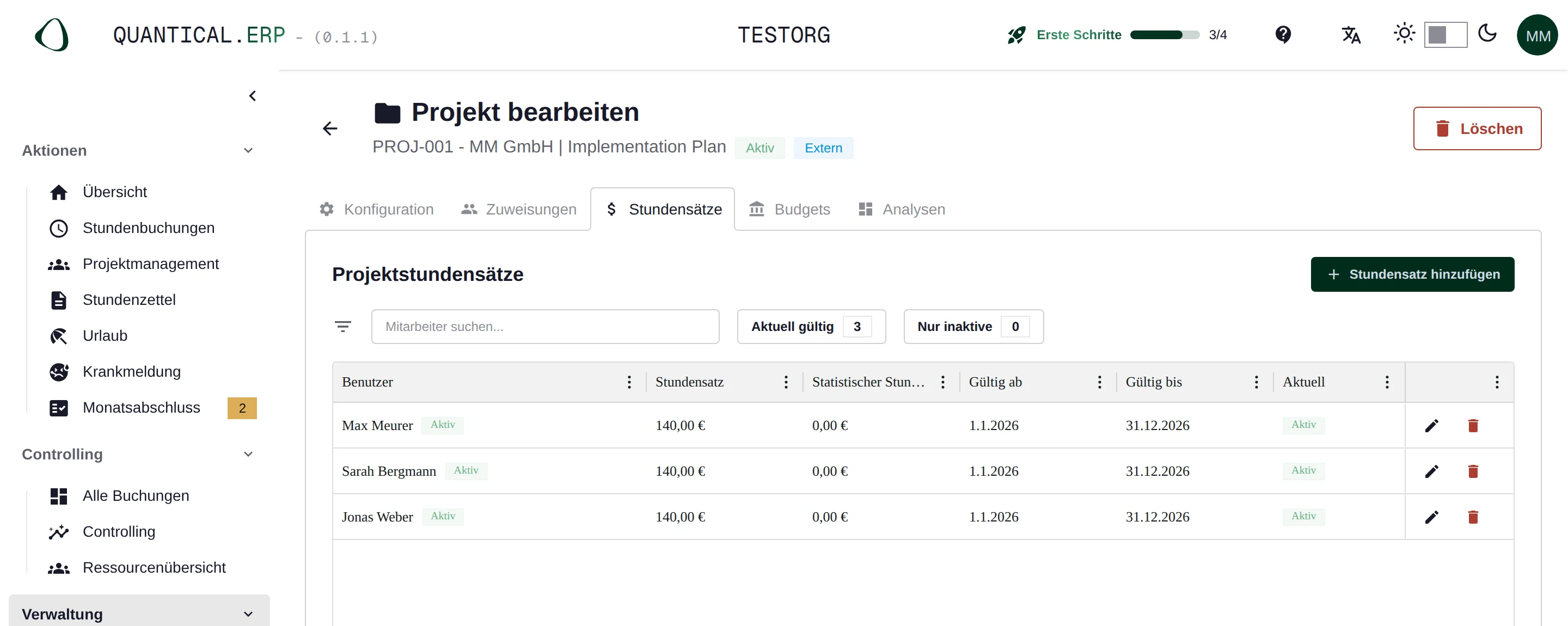
Set hourly or day rates per consultant and project
Create the client project and assign your team. You store rates per consultant and project. If your firm bills by day rate, consultants record their time in person days, also known as man-days, and the invoice uses the agreed day rate. When a rate changes, you decide when the new rate applies.
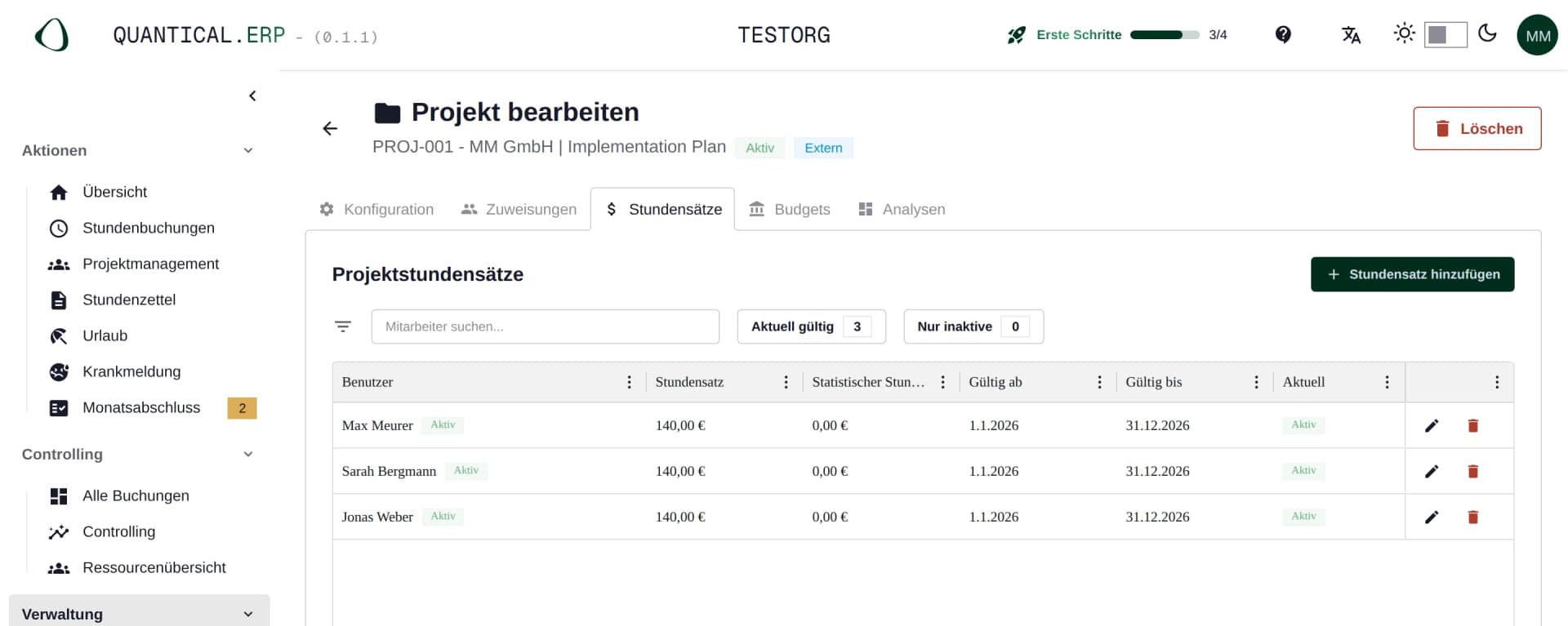
Hourly rates per consultant and project with validity period. Plan the project budget and team assignments
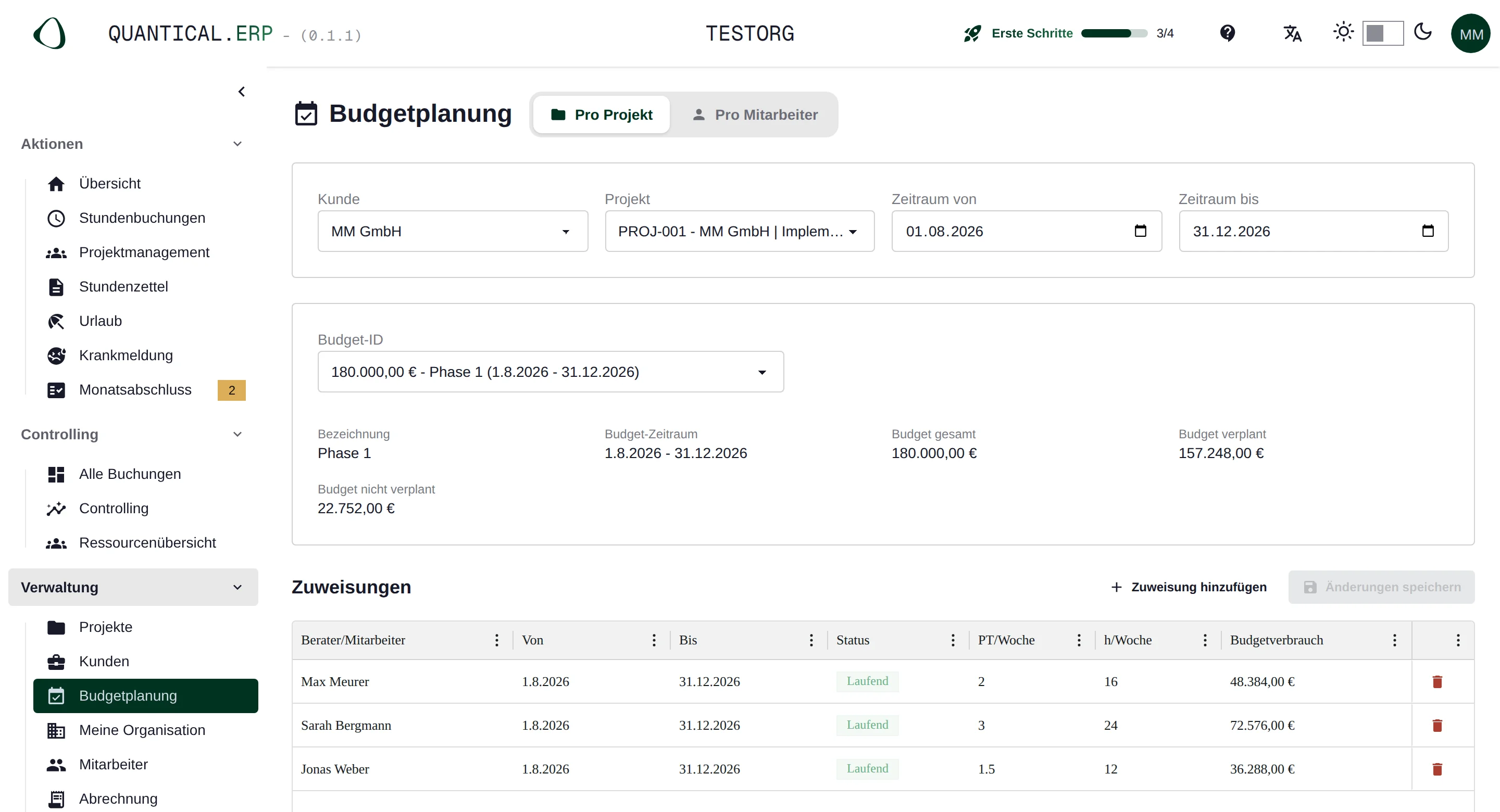
Distribute the planned hours or person-days across your team. You see how much of the budget is already planned and who still has capacity. Your consultants can carry the planned hours into their time tracking.
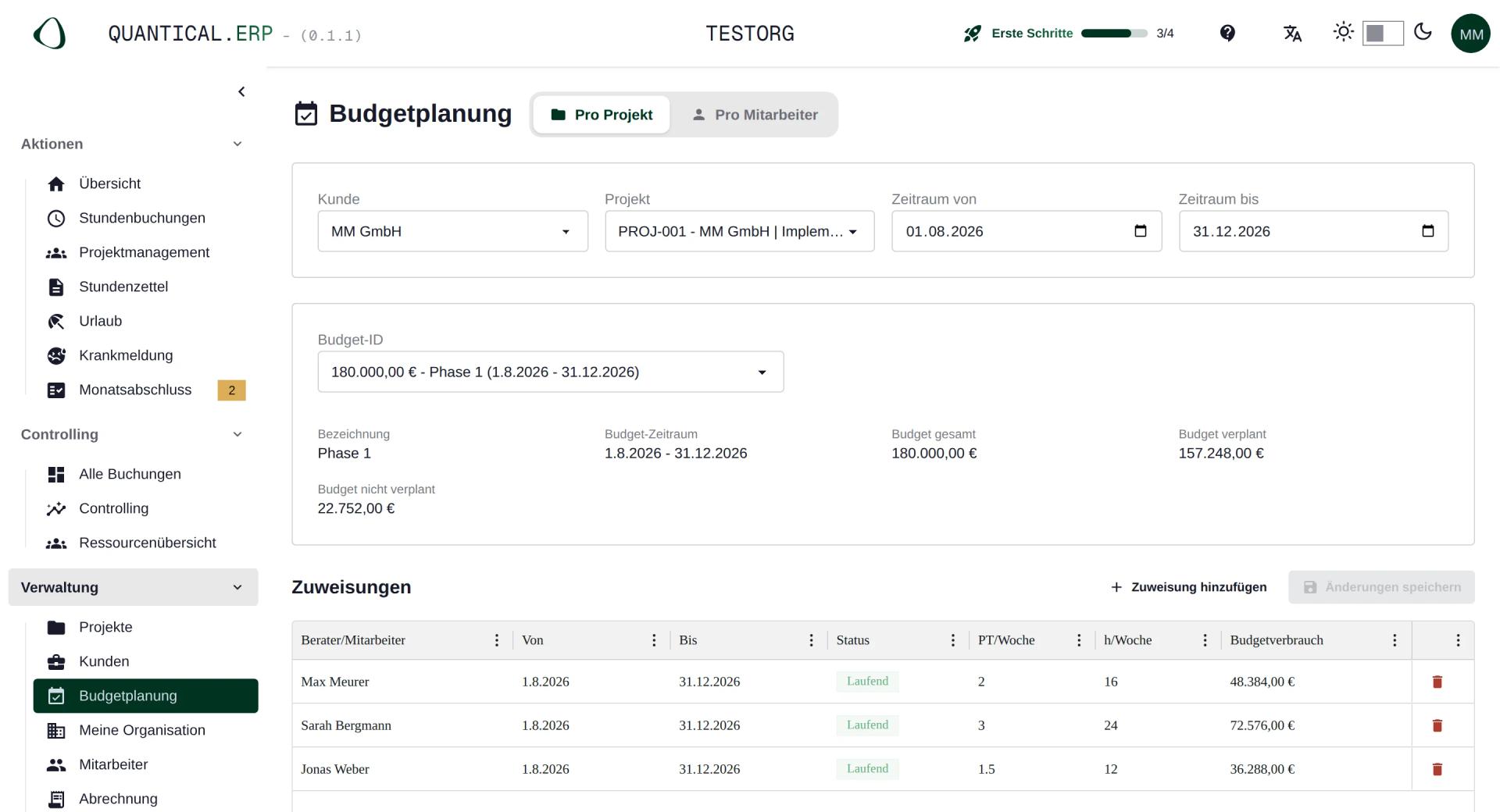
Team planning and remaining project budget. Record hours and activities per project
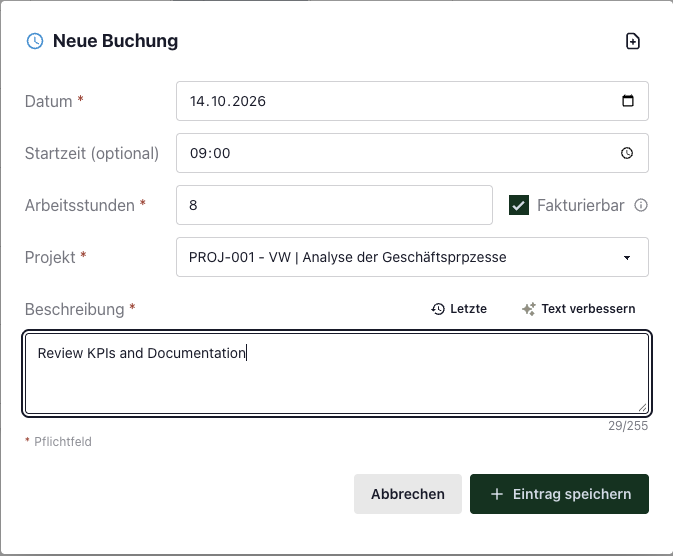
Your team records its working hours and describes the work done. For each entry it decides whether the time is billable. The activity description later appears on the timesheet.
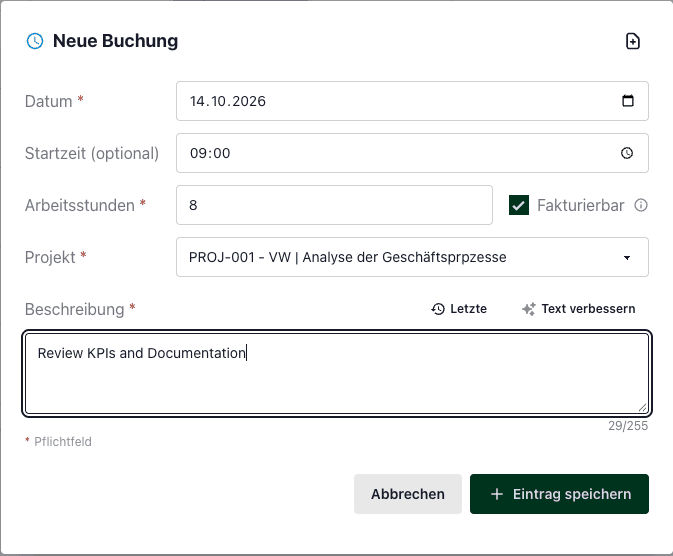
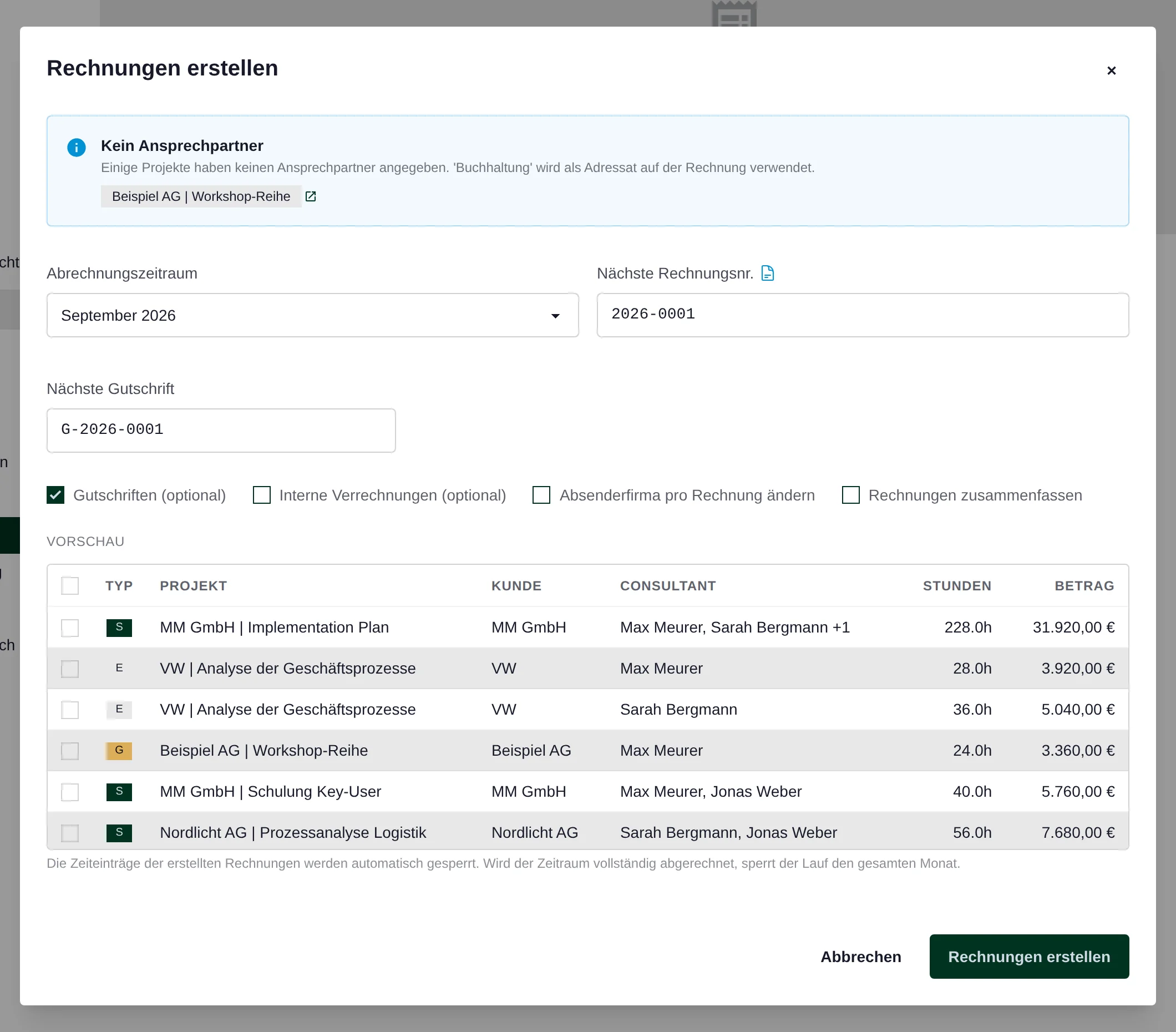
Time entry with project, activity and billable flag. Review timesheets and create invoices
Review the recorded hours and amounts in the invoice preview. You can bill per consultant and project or combine the hours per project or per client. You can issue signed timesheets together with the invoice.
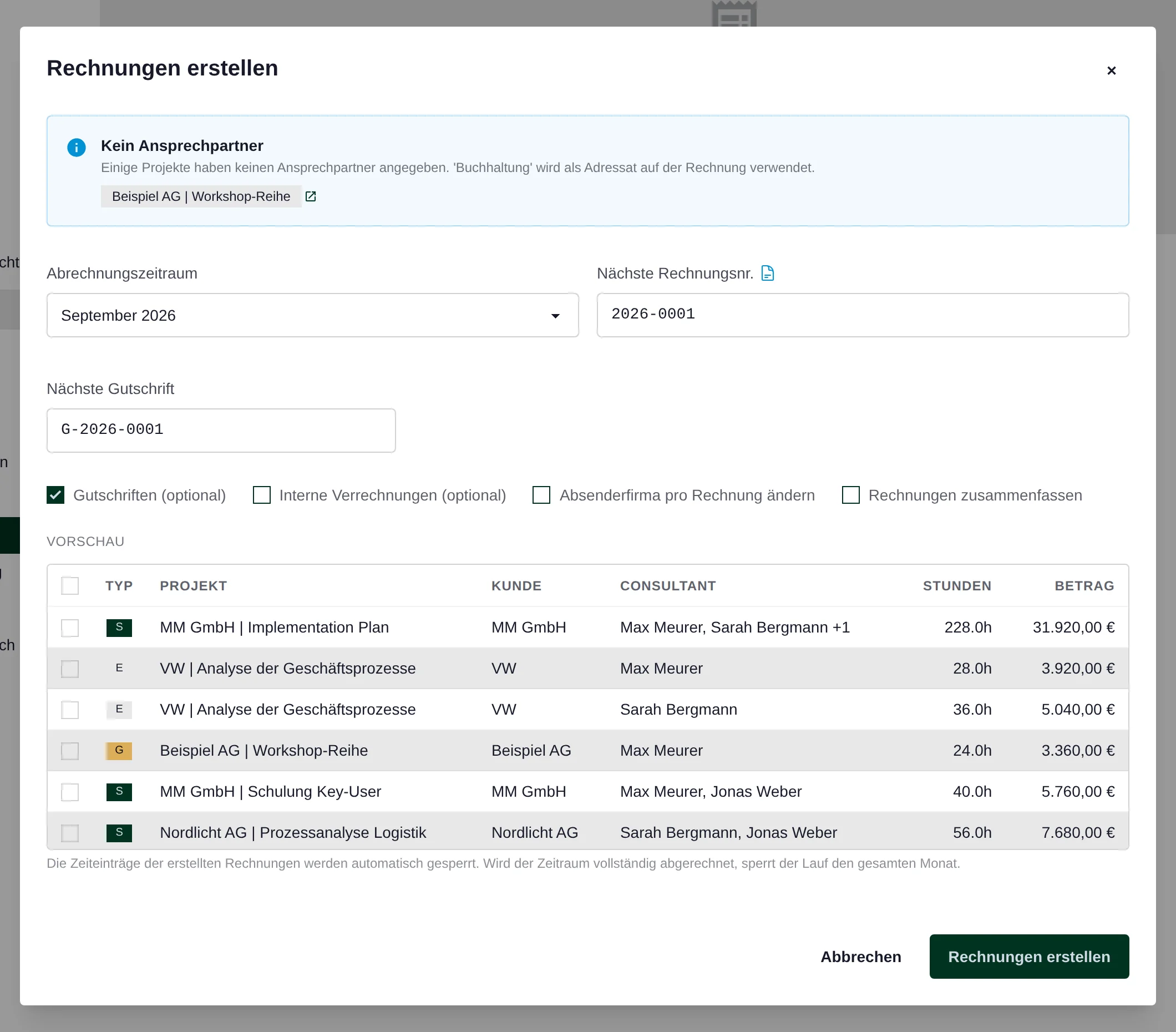
Invoice preview with hours and invoice amounts. Review revenue, costs and margin per project
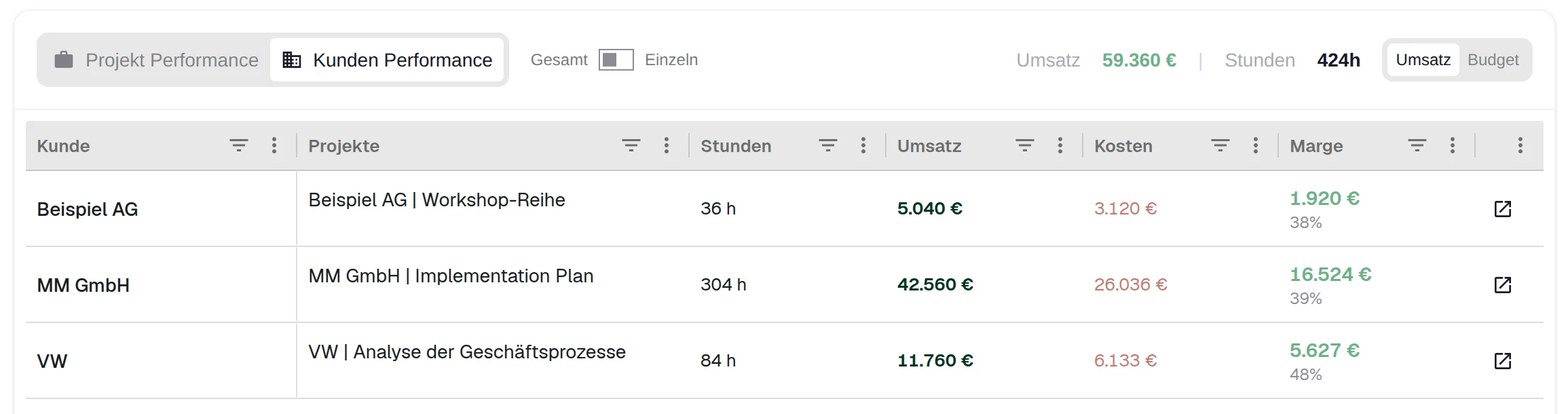
Compare the value of the work recorded with the project costs. In controlling you review revenue and margin per project or combined per client.
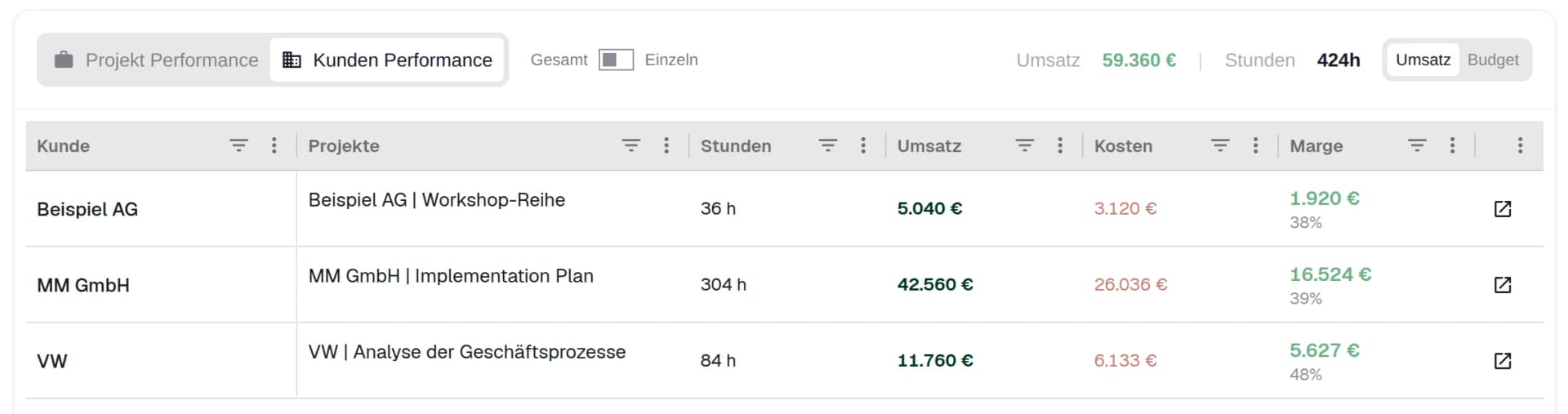
Revenue, costs and margin in the client overview.
Questions about software for consulting firms
Answers on hourly rates, project budgets, billing and data import.
Book a demoCan we set different hourly or day rates per consultant?
Yes. Set the hourly or day rate per employee and project with a validity period. A partner can work at a different rate from a consultant on the same client project. When a rate increases, you choose the date from which it applies.
How do we track budgets and utilisation?
Budget planning allocates the project budget to employees and weeks. The resource overview compares planned and recorded hours and shows each employee’s remaining weekly capacity. Reporting shows budget consumption based on billable hours and the stored rates.
Can we invoice several consultants and projects together?
Yes. Choose an individual invoice per employee and project, one invoice for the consultants on a project, or a consolidated invoice for several projects belonging to the same client. Signed timesheets can be issued with the invoice. Obtain client approval outside QUANTICAL.ERP, then upload the approved record.
Who can see revenue and margins?
You use user roles to decide who can see revenue, costs and margin. Consultants have access to their own time entries and timesheets.
How do we import existing Excel data?
The import assistant provides templates for employees, clients, projects and hourly rates, among other data. Prepare the data in the matching template and check the mapping before import.
What does QUANTICAL.ERP cost?
Try QUANTICAL.ERP free for 90 days without payment details. After that, it costs €12.90 per user per month, excluding VAT. Every feature and future updates and extensions are included. Cancel monthly. You pay by credit card (via Stripe) or by invoice.
Former employees can remain in the system for historical reporting without being charged as paying users.
Try QUANTICAL.ERP with your consulting team
Use your own client projects to try team planning, time tracking and billing.
90 days free
Afterwards €12.90 per user per month, excl. VAT, excluding VAT.
All features, updates and extensions included. Cancel monthly.
Try QUANTICAL.ERP in your daily consulting work
Record project time and prepare client billing with your own data.